

HDMI 2.2 Cable ODM for High-Performance Custom AV Installations
2026-11-23
Spec sheets make HDMI 2.2 sound easy—more bandwidth, higher resolutions, cleaner signal. Anyone who has ever troubleshot a custom AV rack knows the cable is rarely the hero until it fails. With HDMI 2.2 cable ODM, high-performance installations get a different starting point: cable design built around real signal paths, distance limits, and the physical demands of the job, not just a retail box. That shift matters for integrators, and it’s exactly where EBCYX focuses its engineering.
Cable Geometry That Starts With the Conduit, Not the Connector
A harness drawing usually begins at the connector face and grows outward, which seems logical until the cable has to snake through a tray that was never part of the plan. When the conduit route comes first, the geometry belongs to the installation space. The cable's path, bend radius, and support points decide the shape, and the connector no longer gets to dictate a line that fights the enclosure.
Mapping the conduit before picking terminations also exposes the places where the bundle will actually need slack or strain relief. Instead of forcing a tidy schematic into a messy physical space, the route itself sets the rhythm: where the cable drops, where it turns, where it rests. Those details are far easier to deal with before the ends are fixed.
By the time the connector is selected, it only has to land where the conductor already wants to end. That order of thinking avoids the usual loop of redesigning the last few inches because the housing, the seal, or the backshell doesn't match the route. It keeps the assembly simpler to install and much less prone to hidden stress points.
Long HDMI Runs Without Signal Dropouts or Handshake Failures
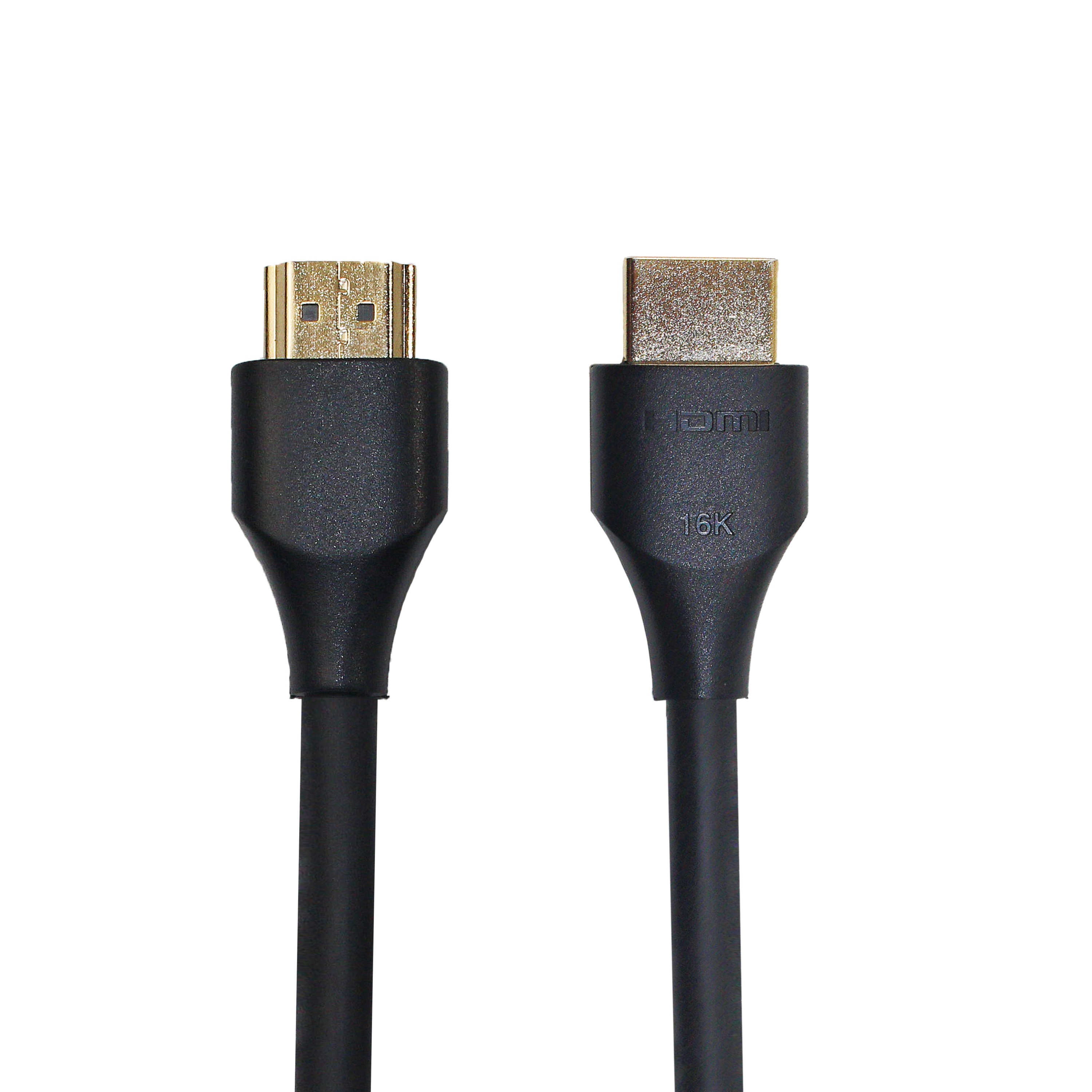
Long copper HDMI cables often become unreliable past the 25-foot mark, not because the cable is defective but because the signal voltage drops and the display's equalizer has to work harder than it should. The failure usually looks random: brief black screens, colored sparkles, or a picture that drops the moment another device on the same circuit turns on. Moving to an active or hybrid fiber design solves most of these issues by sending video as light while copper only provides power, removing the voltage and timing strain that causes dropouts in passive cables.
Handshake failures tend to get blamed on the cable even when the real issue is unstable EDID or hotplug communication. Over a long run, the DDC channel can pick up noise or the 5V line can sag enough that the source and display lose sync and never recover without a full restart. A dependable long-range cable keeps that communication path clean, maintains hotplug voltage within tolerance, and shields the clock lines properly. In tricky setups with older receivers or projectors, placing a powered signal conditioner or EDID manager near the display holds the negotiation steady instead of letting it collapse mid-signal.
In permanent installations, how the cable is routed matters as much as the cable itself. Running parallel to mains wiring, forcing tight bends, or using cheap wall plates creates more long-run failures than distance alone. Leaving a proper bend radius, choosing a cable with a dedicated ground drain, and testing the full chain before the walls are closed up prevents the common "worked on the bench, failed after install" situation that long HDMI runs often face.
Jacket, Shielding, and Fire Rating Choices for In-Wall Installations
Cables run inside walls face a different set of demands than those in open trays or conduit. The outer jacket isn't just a cosmetic layer; it needs to resist abrasion during pulls and stand up to the alkaline conditions found in some masonry. Look for jackets rated for rough handling if the cable path involves tight turns or pre-existing raceway imperfections. At the same time, the jacket material should not become brittle over decades, since replacement inside a finished wall is rarely a simple task.
Shielding requirements depend heavily on what else lives behind the drywall. In a typical home, unshielded twisted pair is fine for Ethernet, but if the cable runs parallel to high-voltage lines or near fluorescent ballasts, foil or braided shielding helps keep interference from creeping in. For AV or control signaling, a continuous foil shield with a drain wire tends to perform better in wall cavities where grounded metal conduit isn't present. The connection points at both ends matter just as much as the shield itself.
Fire rating is non-negotiable for in-wall use. Plenum-rated cable is overkill for most residential wall cavities, but riser or general-purpose rated jackets are often required by local code. Pay attention to the difference between CMR and CM ratings, and verify whether your jurisdiction asks for low-smoke halogen-free materials in multifamily buildings. A cable with a lower fire rating might save a few dollars now, but it can fail inspection or, worse, feed a fire that spreads through the framing.
Labeled, Tested, and Ready for the Installation Crew
Every cable, bracket, and panel that leaves our floor carries a small printed tag with its job number, destination, and a quick visual checkmark from the person who packed it. It’s a simple habit, but it means nobody on site has to guess which box holds the right hardware or spend half an hour sorting through unmarked crates. We’ve learned that an installer’s trust starts before they even open the package.
Before anything gets that label, it runs through a bench test that mimics the actual load and signal paths it will see in the field. Switches are cycled, terminations are checked under tension, and any loose connector or flaky relay gets pulled before it can cause a callback. The crew doesn’t need to re-work our assemblies or keep a spare parts bin nearby just to get through the first day.
What arrives on site is arranged the way an installer would actually unpack it, not the way the warehouse happens to stack shelves. The heaviest items sit at the bottom, the small hardware is bagged by phase, and the whole shipment matches the drawing set line by line. That way the crew can roll straight into mounting and terminations without a morning of hunting, re-labeling, or second-guessing what was tested.
Bulk Reels and Breakout Options for Multi-Zone AV Systems
Running sixteen or twenty-four channels back to a rack gets messy fast when every zone pulls from its own spool. Bulk reels flip that workflow: pull one trunk line to a central patch bay, then handle room-by-room drops with short, manageable lengths. The result is less copper waste, fewer mystery cables, and a cleaner path when something inevitably needs re-terminating at 9 p.m.
Breakout options matter just as much as the trunk itself. Fan-out kits with labeled tails, staged breakouts at floor boxes, and pre-terminated multi-pin connectors each suit different install styles. Pair a sturdy reel with a breakout assembly that matches how your team actually works, and multi-zone changes stop being a rack rebuild.
Designing Around Bend Radius in Dense Rack Enclosures
In dense rack enclosures, bend radius is rarely just a cable specification; it becomes a spatial constraint that shapes the entire layout. When dozens of patch cords, fiber jumpers, and power leads converge behind a single panel, the available slack has to be placed where a turn can happen without collapsing the cable's internal structure. A workable approach is to treat each horizontal and vertical transition as a routing zone, not an afterthought, and give those zones enough depth for the largest diameter media in the bundle.
Fiber demands particular attention because a tight bend can cause loss and, over time, crack the glass. In high-density enclosures, the problem often appears at the point where cables leave a cassette or adapter and immediately turn toward the vertical manager. Using shallow ramps or curved guides at those egress points can keep the first bend from becoming the sharpest bend. It also helps to separate fiber from copper categories and power, so heavier cables are not resting on top of fragile jumpers and forcing them into sharper arcs.
Maintenance habits matter just as much as the initial installation. Slack loops stored behind equipment should be secured with enough curvature to survive a slide-out tray or a swing arm, and labels should not be tied so tightly that they pinch the jacket. When every spare millimeter is contested, built-in bend radius features on panels and managers often perform better than relying on field technicians to estimate a safe curve by hand.
FAQ
It puts the integrator in control of physical fit and finish, not just copper quality. You can specify jacket compounds, connector shells, labeling, lengths, and shielding layouts before production starts. The factory then engineers around those choices so the final reel matches the install pathway, not a generic catalog part.
The cable geometry is built around tightly controlled pair lengths, low-skew dielectrics, and continuous shielding from connector to connector. For difficult runs, we offer hybrid active variants with embedded signal conditioning that hold the rated data rate without forcing a drop to lower refresh rates.
Yes. That is usually the point of going ODM for larger installs. One production batch can include multiple room-specific SKUs with different housing profiles, bend directions, and print legends, all packed so the site team does not have to modify cables on the wall.
Every cable gets continuity, pair skew, and impedance checks. We then run eye-pattern and bit-error tests at the full HDMI 2.2 rate on sampled lengths and pull the batch if margin looks thin. Connectors also go through repeated mating, bend, and strain-relief cycles to catch fatigue early.
The terminations are overmolded and the solder joints are reinforced, so the usual failure point shifts away from the connector neck. Jacket materials are chosen to resist kinking and scuffing, and the outer diameter is kept compact enough to route through dense rack channels without fighting the installer.
Each cable can be factory-printed with zone, room, and port identifiers at repeat intervals. The shipment then includes a matching cable schedule and test record, so the field crew can verify a run against the drawing without opening walls or using a toner.
Most custom HDMI 2.2 programs move from approved samples to full shipment in about three to five weeks. Prototype lengths usually take around ten days, which gives the design team a chance to confirm bend radii, connector fit, and pulling tension before committing to the full lot.
Conclusion
Custom AV builds rarely fail at the HDMI 2.2 connector; they fail inside the conduit, behind the rack, or across a 60-meter pull where a cable refuses to cooperate. That reality drives an ODM approach that treats cable geometry as a conduit problem first. We work from the inside diameter of the raceway, not from the shell of the plug, so the finished cable can be pulled through existing pathways without binding, kinking, or forcing the installer into destructive workarounds. Long-run versions use signal conditioning and shielding layouts that keep 4K/8K sources stable across distances that would normally invite dropouts or EDID handshake failures. For in-wall and plenum spaces, the jacket, shield, and fire rating are chosen to match local code, not just the spec sheet.
On site, every reel arrives labeled with pull direction, length markings, and test results, so the crew spends less time sorting and more time terminating. Multi-zone systems benefit from bulk reels and breakout options that let a single pull feed several displays without a messy splice point. Dense racks get special attention to bend radius: jackets and internal lay lengths are tuned so the cable can turn sharply behind equipment without damaging the conductors or degrading return loss. The result is less a generic high-speed cable than a supply chain detail that respects how high-performance AV systems are actually installed.
Contact Us
Contact Person: David Yang
Email: [email protected]
Tel/WhatsApp: 8615814734054
Website: https://www.ebcyx.com/